Gym billing and fee software
Collect every fee, without chasing anyone
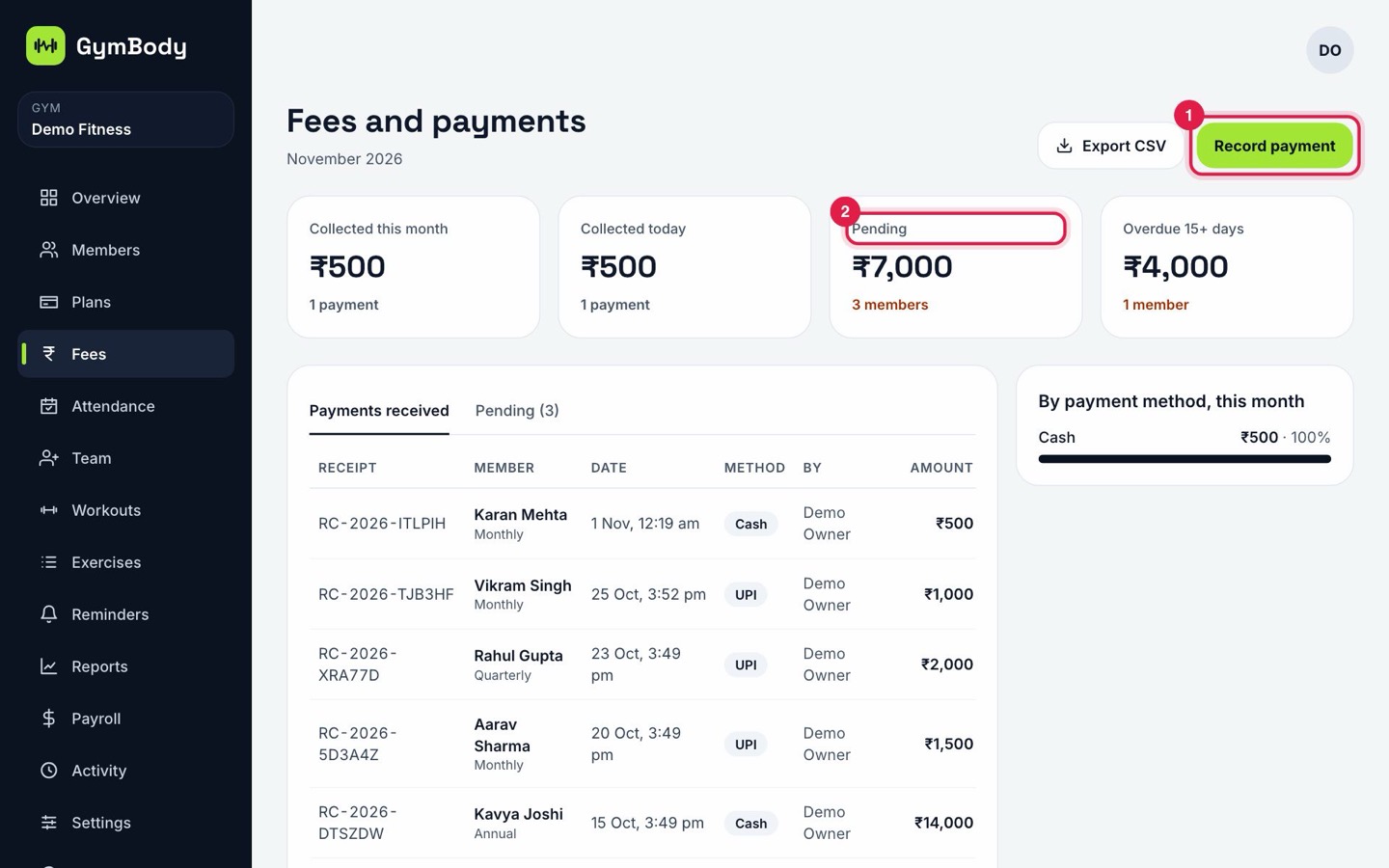
Most gyms lose money to fees nobody followed up. GymBody records every payment, sends the receipt for you and keeps a clear list of who still owes how much.
What you can do
Record a payment in seconds
Pick the member, the amount and how they paid: cash, card, bank transfer, UPI, or pay later.
Receipts sent for you
Every payment gets a receipt number, and the member gets the receipt by email.
A clear list of pending dues
See who still owes money and how much, and take the payment from the same screen.
In your own currency
Set your country and currency once. Prices, receipts and reports use them everywhere.
Ready for your accountant
Export the month's payments as a CSV file, or download your reports as a PDF.
Expenses and payroll too
Add rent, electricity and other expenses, and pay your team, so you see what the gym really earns.
How it works
- 1
Set your plans and prices once.
- 2
Record each payment as members pay; receipts go out by themselves.
- 3
Check Pending each week and remind anyone who still owes.
Questions
Can members pay later?
Yes. Choose Pay later when you add a member; the fee shows under Pending until it's paid.
Does it work in my currency?
Yes. Choose your country and currency when you set up your gym. Every amount uses them.
Can I export payments for my accountant?
Yes. Export payments as a CSV file from the Fees page, and download reports as a PDF.
Is it really free?
Yes. Fees and receipts are part of the Free plan for gyms with up to 40 active members.
More from GymBody
Try it with your own gym
Set up in about 10 minutes. Free for up to 40 active members, with paid plans when you grow.