Gym attendance software
See who trained today, and who stopped coming
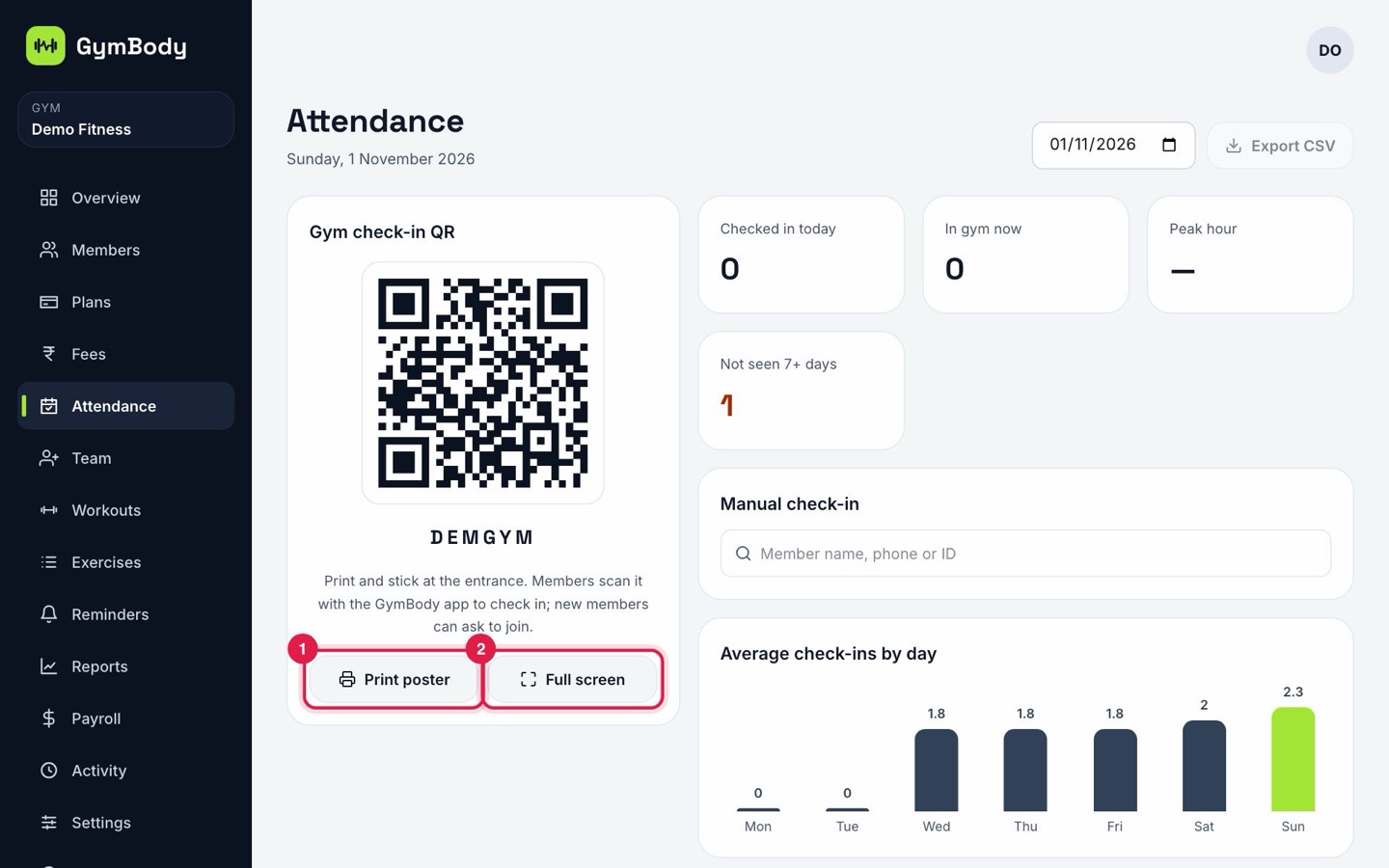
Attendance tells you more than who walked in. GymBody records member check-ins and your team's daily register in one place, so you can spot members who stopped coming and pay staff for the days they worked.
What you can do
Check members in at the desk
Search a member's name and check them in with one tap.
Today at a glance
See how many members trained today and who they were.
Spot members who stopped coming
A member who hasn't trained for a while is often about to leave. Their history helps you reach out in time.
A daily register for your team
Mark each person present, absent, half day, on leave or week off, with in and out times.
Staff check-in screen
Turn a tablet at the desk into a staff check-in screen with a daily code.
Leave and holidays
Approve or reject leave requests and add gym holidays. Attendance feeds straight into payroll.
How it works
- 1
Open Attendance and check members in by name as they arrive.
- 2
Mark your team's daily register, or let them use the check-in screen.
- 3
Open any member's profile to see when they trained, and use reports to see members joining and leaving.
Questions
Do I need special hardware?
No. A phone, tablet or computer at the desk is enough.
Does staff attendance work with payroll?
Yes. Present days, half days and leave are used when you make payslips, so salaries match the register.
Can I see one member's attendance history?
Yes. Each member's profile shows when they trained.
Is it really free?
Yes. Attendance is part of the Free plan for gyms with up to 40 active members.
More from GymBody
Try it with your own gym
Set up in about 10 minutes. Free for up to 40 active members, with paid plans when you grow.